.NET Conf 2026 Day 2: Visual Studio, Resilient Blazor, and AI Workflows
Day 2 of .NET Conf 2026 opened with Visual Studio and closed with EF Core 11. In between, it was a lot of “here’s an agent doing real work, and here’s how you check what it did.”
Full disclosure: I barely watched Day 2. I had obligations that pulled me out of the house, so my agent did the watching (and the livetweeting) for me. You can read how I livetweeted .NET Conf without watching all of it if you want the nuts and bolts. This article is the cleaned-up version of its notes.
These notes come from AI transcription of the live stream plus screenshots of what was on screen. I’ve kept every number tied to the benchmark or demo it came from, and I’ve been careful about what’s GA versus preview, because Day 2 had a lot of both.
The short version
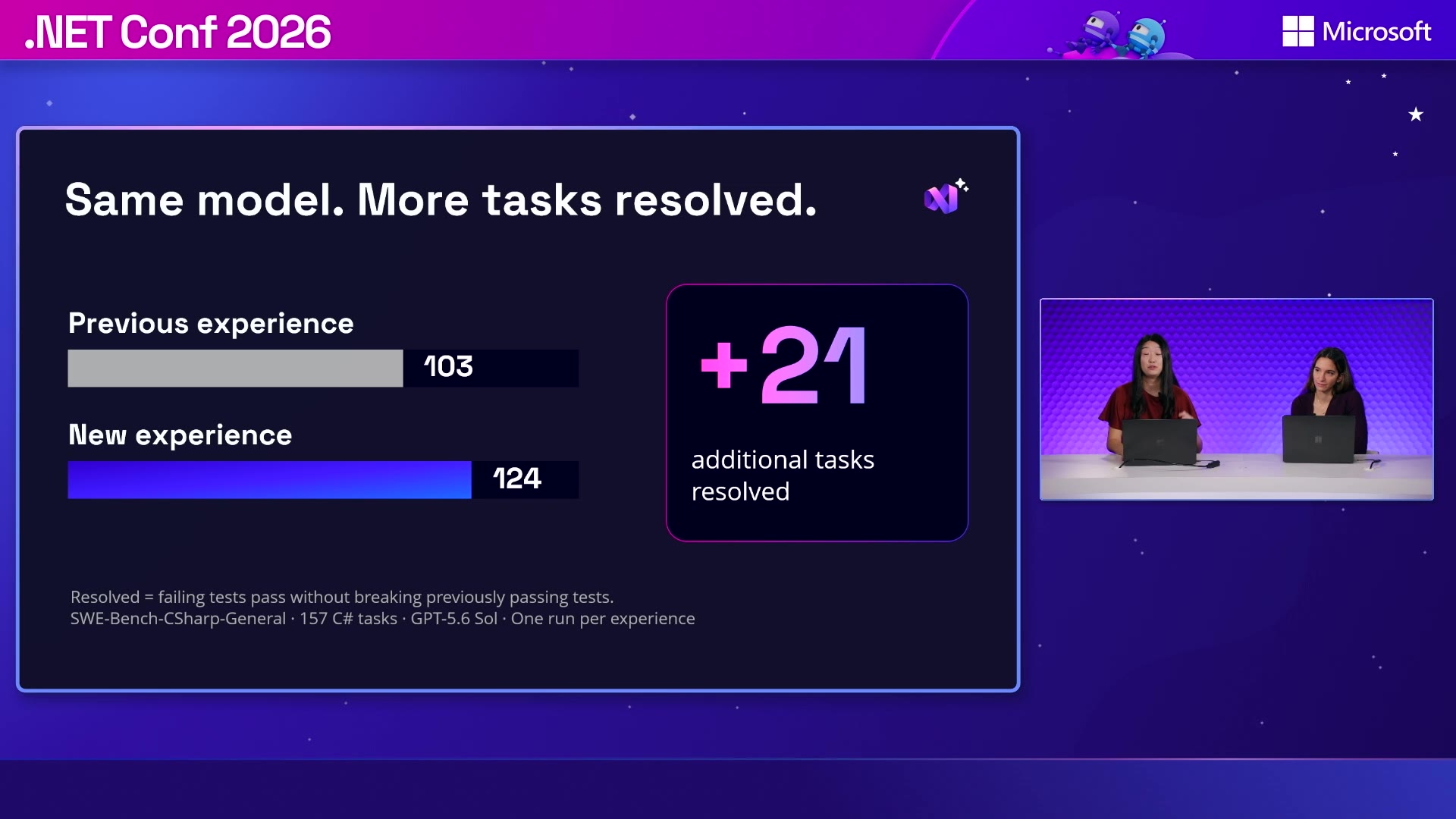
- Visual Studio 18.12 ships a new agent built on the Copilot SDK. With the same model, it resolved 124 of 157 C# benchmark tasks. The previous experience resolved 103.
- Bring Your Own Model is GA in Visual Studio 18.12. It works with approved cloud providers, compatible gateways, or local model servers, and it doesn’t need a GitHub sign-in.
- Blazor Server can restore persisted state after a circuit is evicted, and it has explicit support for planned shutdowns and hidden-tab auto-pause.
- The official AG-UI .NET SDK is stable. The Microsoft Agent Framework adapter is in preview, and the Blazor AI components are experimental.
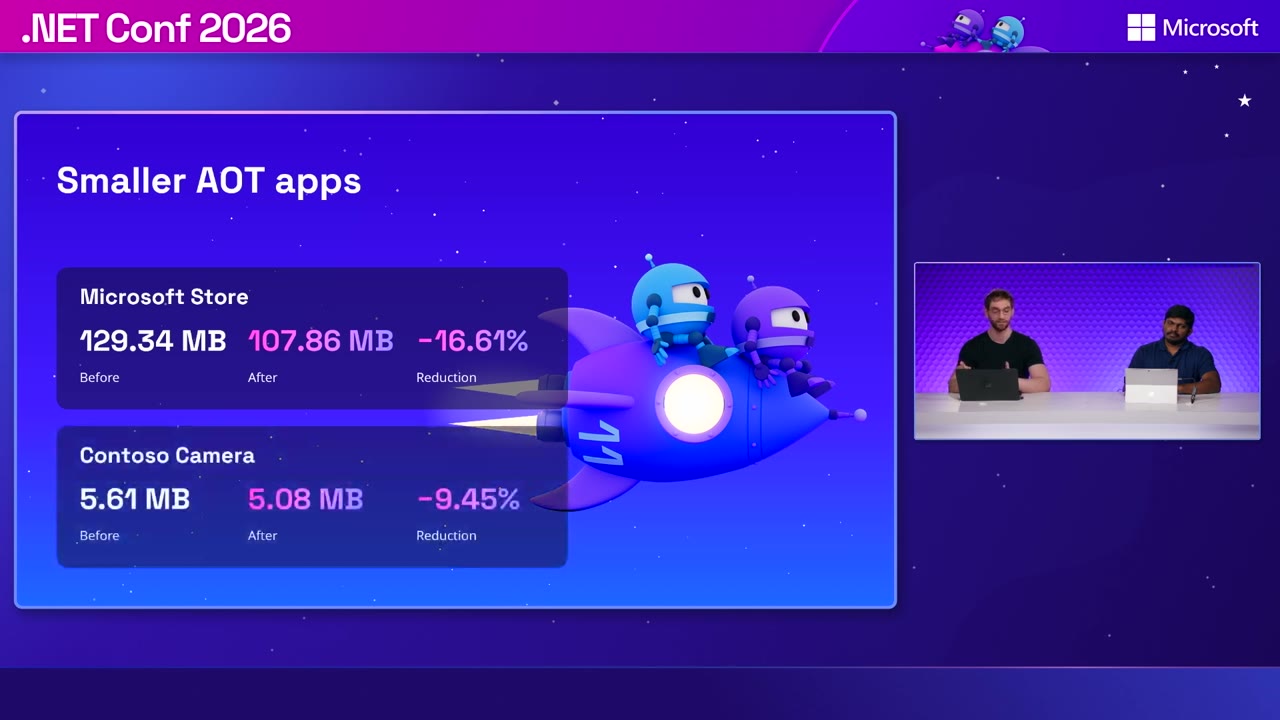
- CsWinRT 3.0 cut the Microsoft Store app from 129.34 MB to 107.86 MB, a 16.61% reduction.
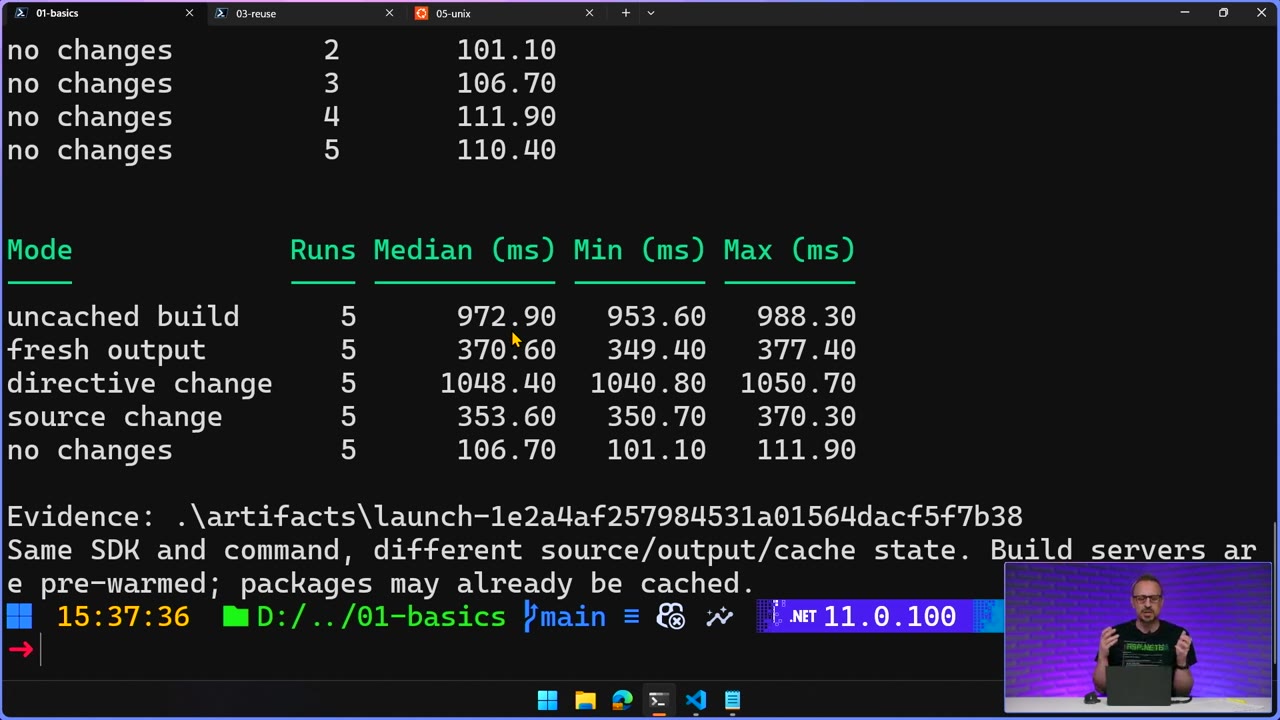
- An unchanged file-based app launched in a median of 106.7 ms, compared with 972.9 ms for an uncached build.
- EF Core 11 adds DiskANN vector search, unused-join pruning, JSON query improvements, and simpler
dotnet efconfiguration.
Visual Studio’s everyday improvements
Mads Kristensen’s Visual Studio Now and Next keynote mixed AI features with plain old IDE improvements.
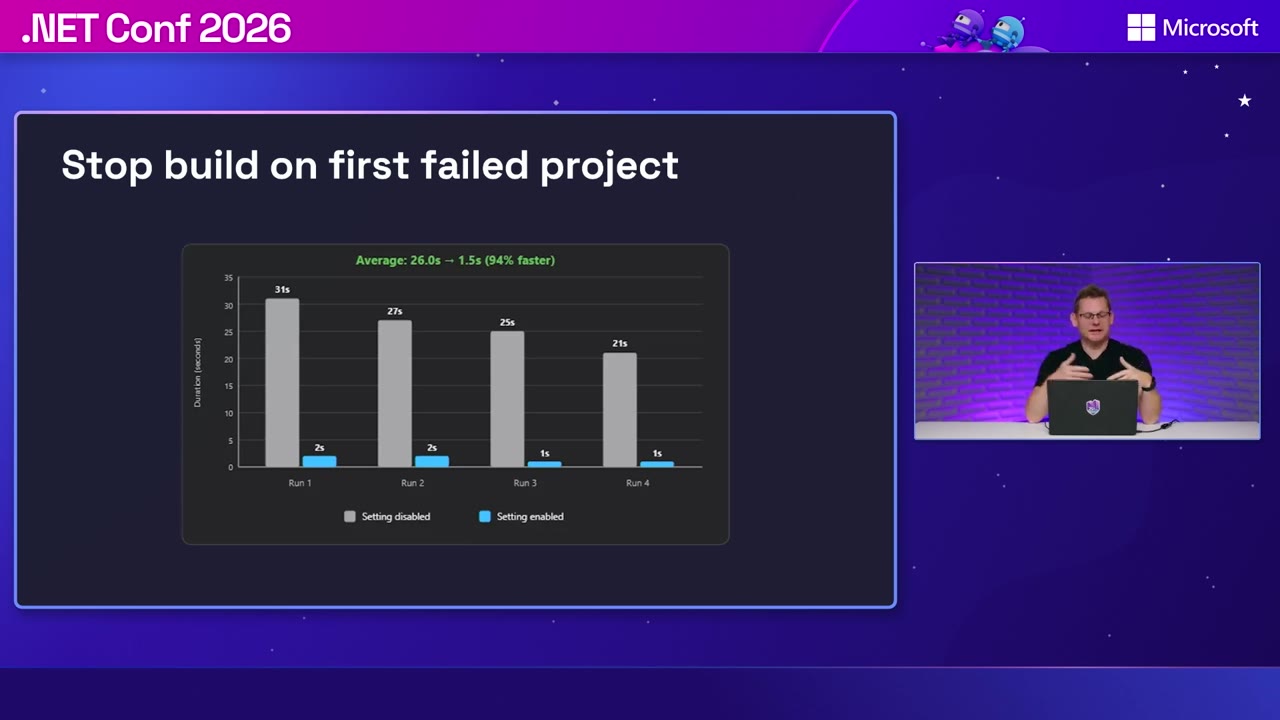
Example: stop a solution build after the first project fails. On a failing OrchardCore build, average elapsed time dropped from 26.0 seconds to 1.5 seconds. That’s 94% less time waiting to find out your build is broken.
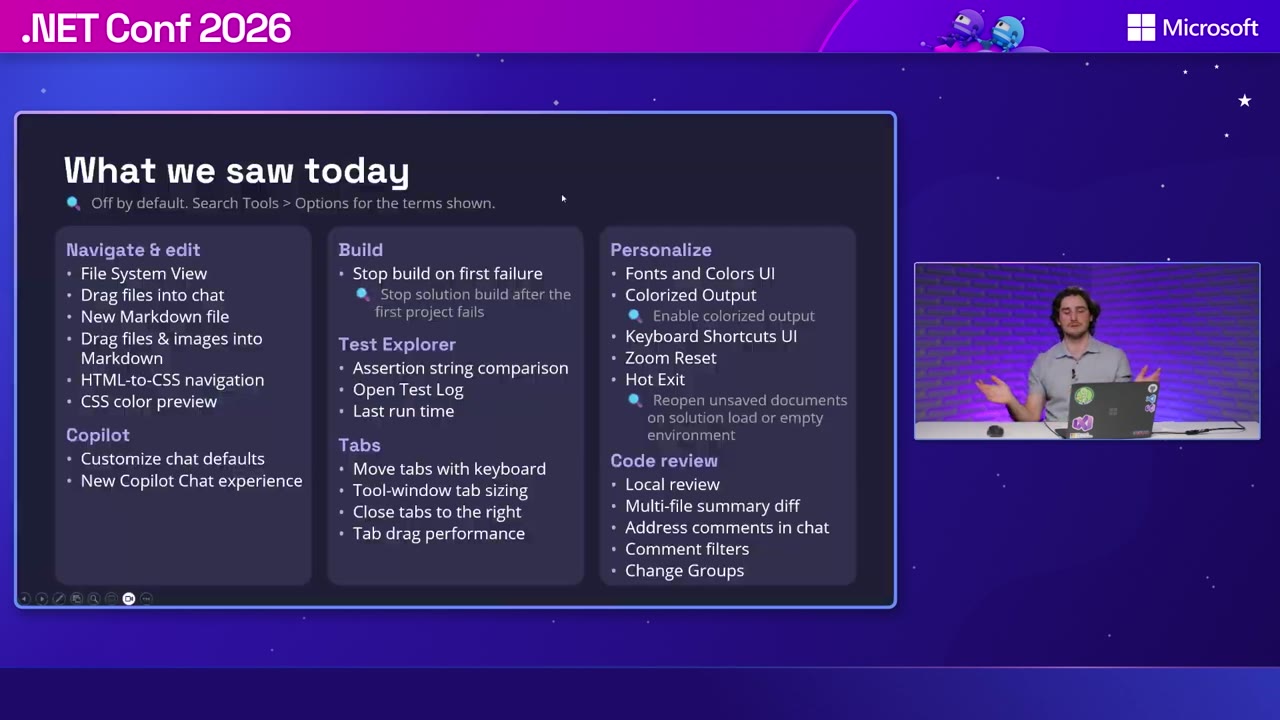
Jason Chlus’s What’s new in Visual Studio went through the settings and a pile of editor features:
- Test Explorer shows expected-versus-actual string diffs.
- HTML class names navigate to their CSS definitions.
- The Output window supports ANSI colors.
- Hot exit keeps unsaved documents across closing and reopening the IDE.
Stop-on-first-failure, colorized output, and hot exit are all off by default. The session covered about 26 features, and they’re available in Community, Professional, and Enterprise.
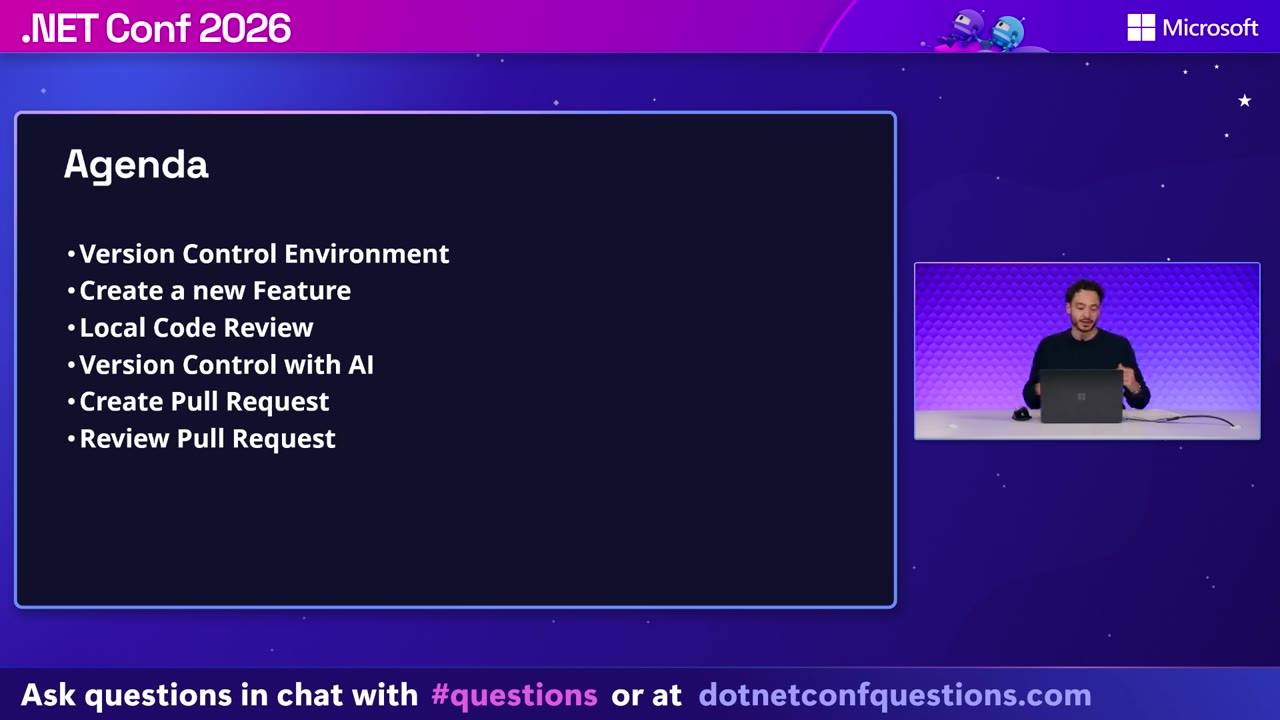
Sebastian Hernandez’s version-control session followed a change through worktrees, local review, merge conflicts, and pull-request review. You can comment on your own local changes and hand those comments to Copilot along with the file context. The merge tool can take one side across every conflict or ask Copilot to resolve them, and the agent in the demo built the affected projects afterward. PR review works with both GitHub and Azure DevOps. The speakers said local review is still evolving and asked for feedback.
The new Visual Studio agent
In The State of AI in Visual Studio, Rachel Kang and Barbara Boyajian explained that the agent experience now runs on the same Copilot SDK foundation as the other Copilot clients.
Their benchmark kept the model fixed at GPT-5.6 Sol. Across 157 SWE-Bench-CSharp-General tasks, the old experience resolved 103 and the new one resolved 124. “Resolved” meant the failing tests pass without breaking tests that already passed. One run per experience, so take it as a directional signal.
The CareDesk demo showed the workflow end to end. The agent was asked to prevent double-booked appointments and got extra instructions while it was already working. It added 10 regression tests to a suite of 40, hit a failure, fixed its own implementation, and finished with all 50 passing before rebuilding and relaunching the app.
Bring Your Own Model is GA in 18.12. The demo showed multiple named provider connections, custom compatible endpoints, local model servers, and working while signed out of GitHub. Admin controls are on their own timeline: blocking Autopilot through managed settings is an 18.13 Insiders preview, and MCP server allow/deny controls are coming.
Harshada Hole’s What’s New in Visual Studio Diagnostics had an agent reproduce a wrong shopping-cart total, debug it, fix it, run regression tests, and verify the corrected $58.50. That UI-assisted debugging is in the latest Insiders build.
She also moved a Copilot CLI performance investigation into Visual Studio’s profiler. A SharpZipLib Adler32 benchmark improved 27.9% on .NET 6 and 13.0% on .NET Framework 4.8.1 after the change. Hole said the CLI-to-Visual-Studio diagnostics flow isn’t released yet. It was a look at upcoming work.
Blazor Server gets resilient
Daniel Roth’s Blazor Server in .NET 11: Fast, resilient, and scalable started with static server-side rendering. QuickGrid gained sorting and paging links. Enhanced forms gained client-side validation. And apps can use TempData, session state, CacheView, and output caching without holding an interactive circuit open.
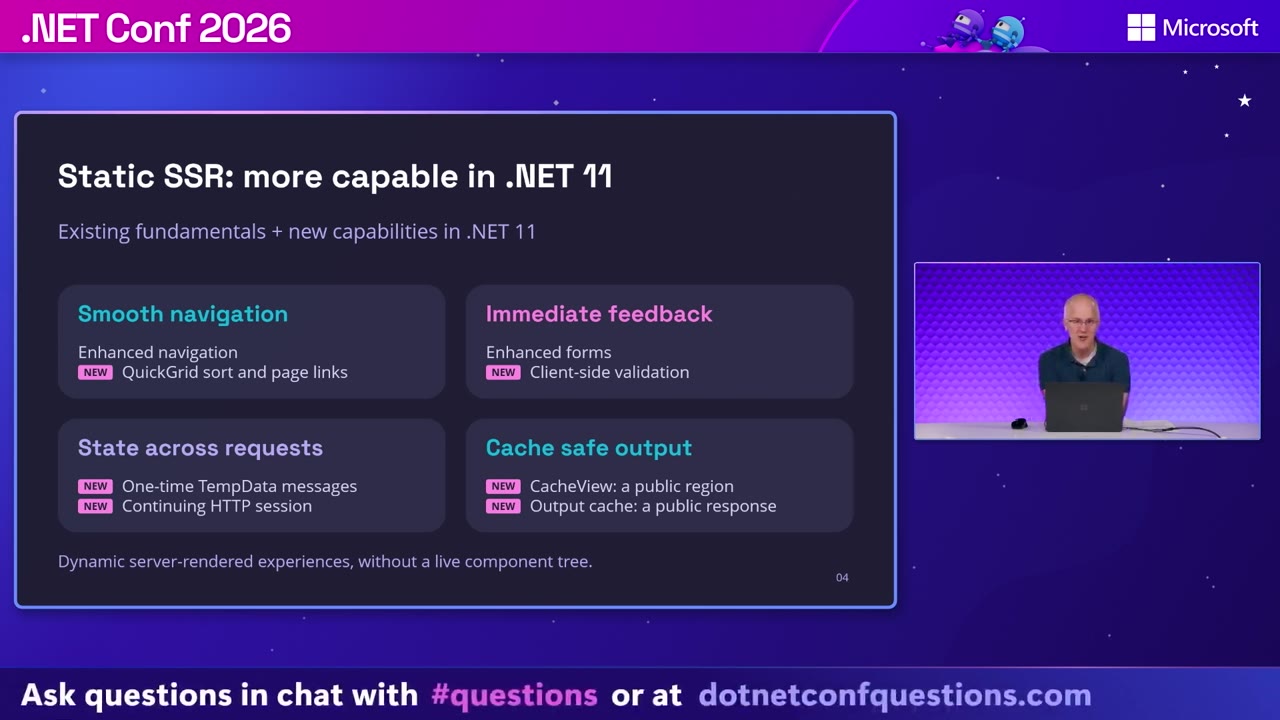
For interactive apps, building on the persistent component state from .NET 10, the demo took a connection offline until the circuit was evicted. Aspire metrics showed zero active circuits. Reconnecting created a brand-new circuit and restored the selected delivery address and replacement choice from persisted state.
Two more pieces:
RequestCircuitPauseAsynclets your app pause connected circuits before a planned shutdown.- The Auto Pause package releases eligible circuits when a tab is hidden. The default delay is two minutes (Roth used eight seconds for the demo).
Where the state goes depends on the scenario. State saved before a disconnected circuit is evicted stays on the server, in an in-memory cache by default or HybridCache if you configure it. Connected pause scenarios use protected client-side storage. Either way, you opt specific state into persistence. The recovery in the demo worked because the app was configured for it.
MCP and AG-UI
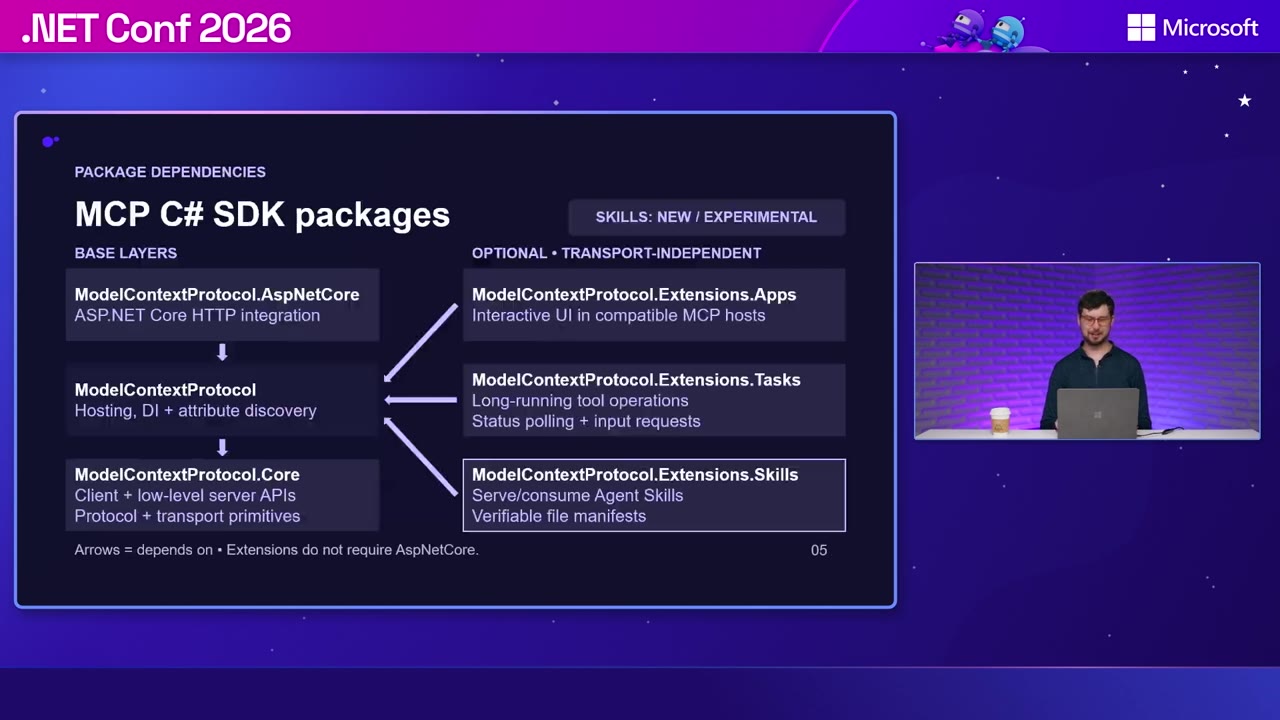
Stephen Halter’s What’s new in the MCP C# SDK demoed an MCP App that rendered fireworks inside a compatible client and used SignalR to keep a second screen in sync. HTTP transport now defaults to stateless mode. The SDK is split into packages: the core SDK, hosting, and ASP.NET Core integration, plus extensions for Apps, long-running Tasks, and experimental Skills.
Other demos used typed elicitation forms to ask the user for missing info, then asked for approval before running anything. Auth uses normal ASP.NET Core authorization. Tools get the caller’s ClaimsPrincipal, and the token isn’t passed to the model.
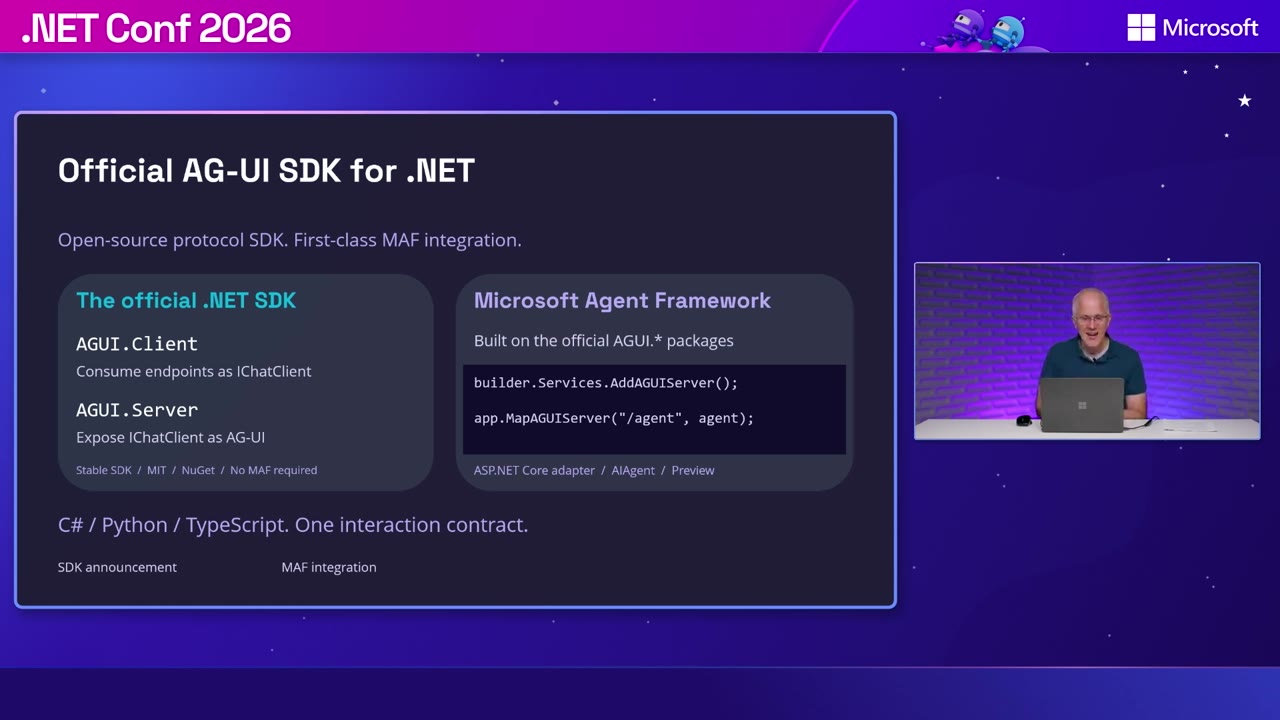
Roth came back for Building the future of agentic UI with Blazor. The official AG-UI .NET SDK, built with CopilotKit, is stable and MIT-licensed. AGUI.Client consumes an endpoint as an IChatClient, and AGUI.Server exposes an IChatClient over AG-UI. The Microsoft Agent Framework integration is a separate adapter, still in preview.
The experimental Blazor AI components let an agent fill out a form through a frontend tool, see the updated state after the user edits it, and propose a reply the user can accept or reject. A separate approval card handles ApprovalRequiredAIFunction. Reject it, and the tool doesn’t run.
Windows apps
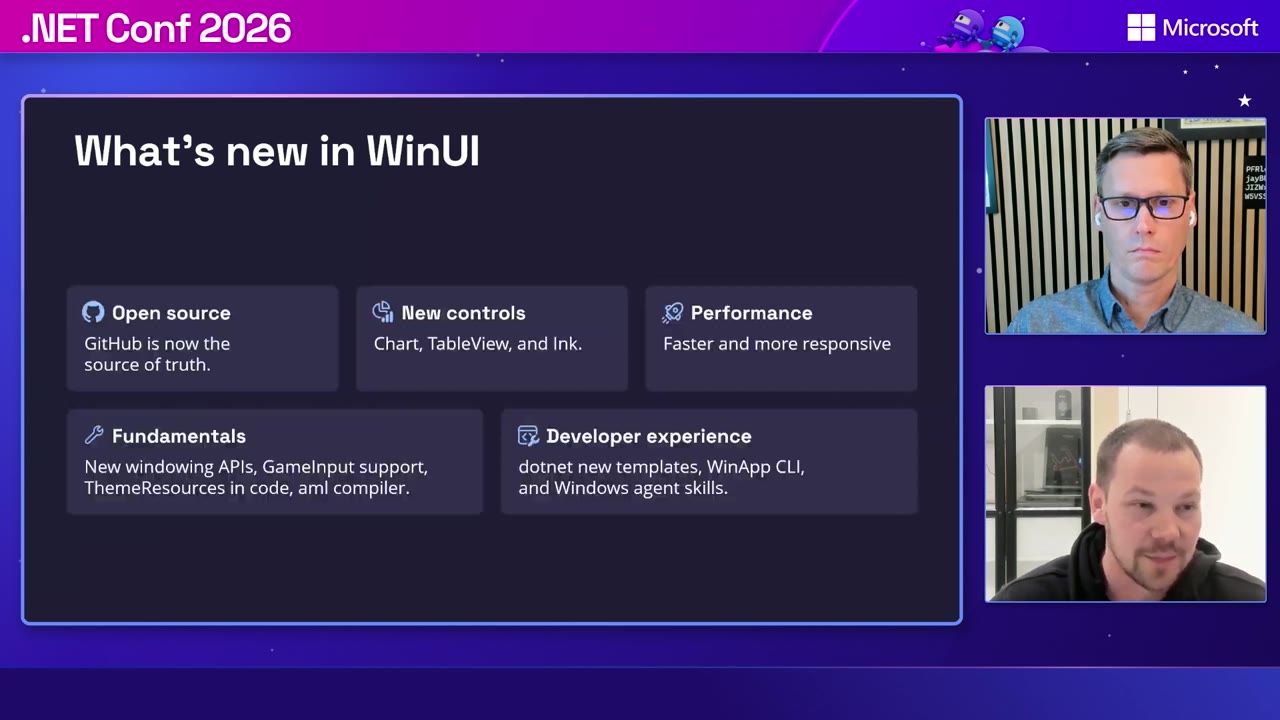
Niels Laute and Morten Nielsen’s Building great Windows apps with WinUI and agents covered WinUI development moving to GitHub, new Chart, TableView, and Ink controls, and the WinApp CLI. The CLI plus agent skills let an agent run, inspect, and debug a native app. In the demo, Copilot read a comment attached to the running UI, built a GitHub issues view, and checked its own result.
The performance demo used winapp perf on a 1.53-second frame where rendering took only 0.34 seconds. The culprit was redundant load and save work on the UI thread, at 816 ms and 772 ms.
Manodasan Wignarajah and Sergio Pedri’s CsWinRT 3.0 session showed what a redesigned projection and interop generator buys you. The Microsoft Store app shrank from 129.34 MB to 107.86 MB. Contoso Camera went from 5.61 MB to 5.08 MB. Both sides of the Store comparison already used .NET 10 and Native AOT, so the difference is purely CsWinRT 2 to CsWinRT 3.
Generator time for the Store dropped from 115 seconds to 9 seconds on a clean build and from 24 seconds to 4 seconds incrementally. Those numbers are for the generator step only, so your full build won’t drop by the same amount. CsWinRT 3.0 also removes several old AOT workarounds and lets apps pick up projection fixes without waiting for every dependency to republish. It’s an opt-in breaking change, selected through the Windows target framework version.
Alexandre Zollinger Chohfi’s No XAML Required introduced Microsoft.UI.Reactor, an experimental, MIT-licensed way to build native WinUI apps in C#. It uses model-view-update components with real WinUI controls. The single-file counter demo ran with dotnet run, and more than 60 Roslyn analyzers check things like hook ordering, accessibility names, and UI-thread access.
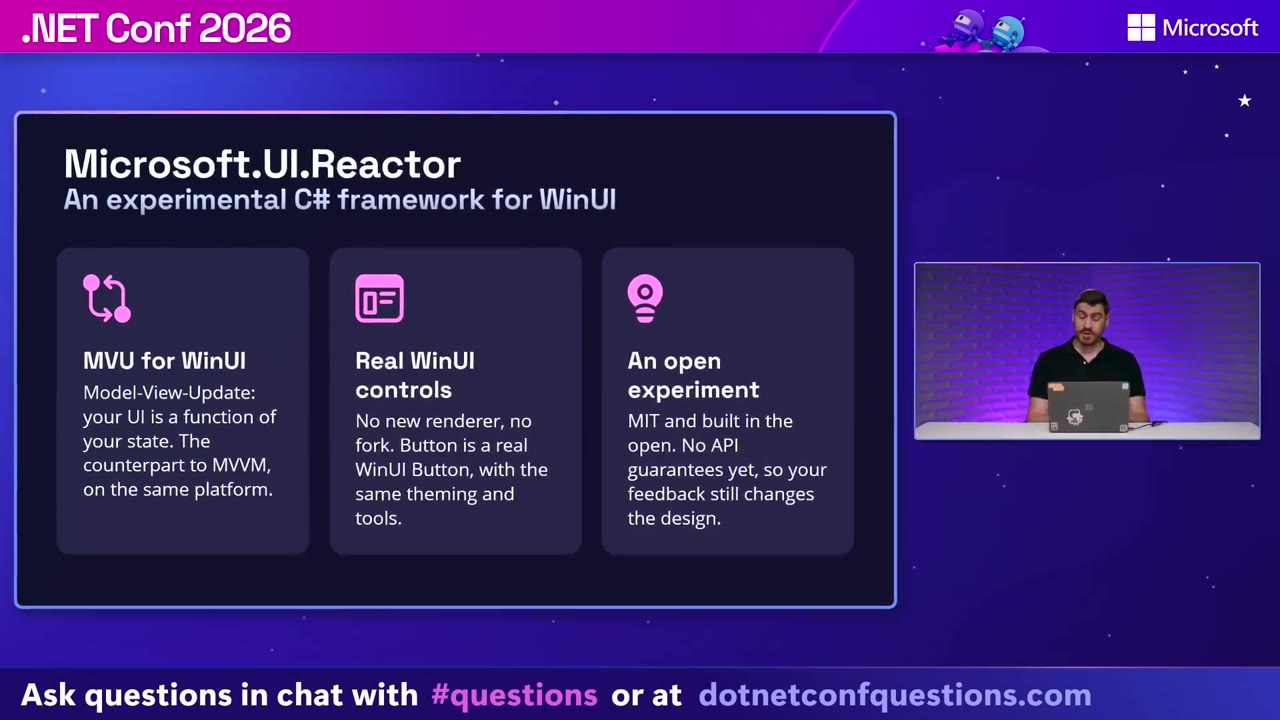
You can mix Reactor and XAML in the same visual tree. Chohfi was clear that XAML isn’t deprecated. The suggested path is trying Reactor on one new screen in an existing app.
Modernization and mobile
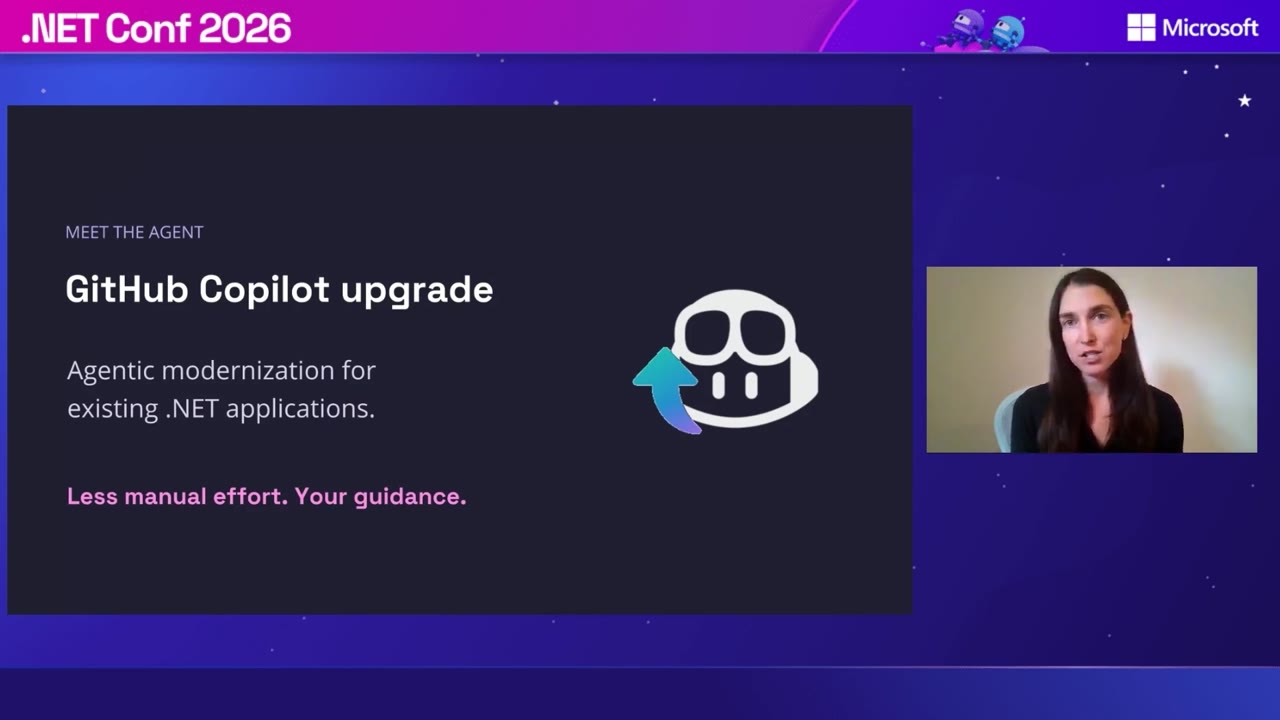
Mika Dumont’s GitHub Copilot modernization demo took a Web Forms app through assessment, planning, migration, and validation. The plan stood up an ASP.NET Core host next to the existing app and kept Entity Framework 6 to limit data-access changes. It supports automatic and guided modes, editable plans, and progress tracking.
The dashboard showed about 1 hour and 21 minutes of elapsed work and 698 changed files, and the build passed with zero errors. Those results are for one example app. The upgrade tooling works across Visual Studio, VS Code, Copilot clients, and the Modernize CLI.
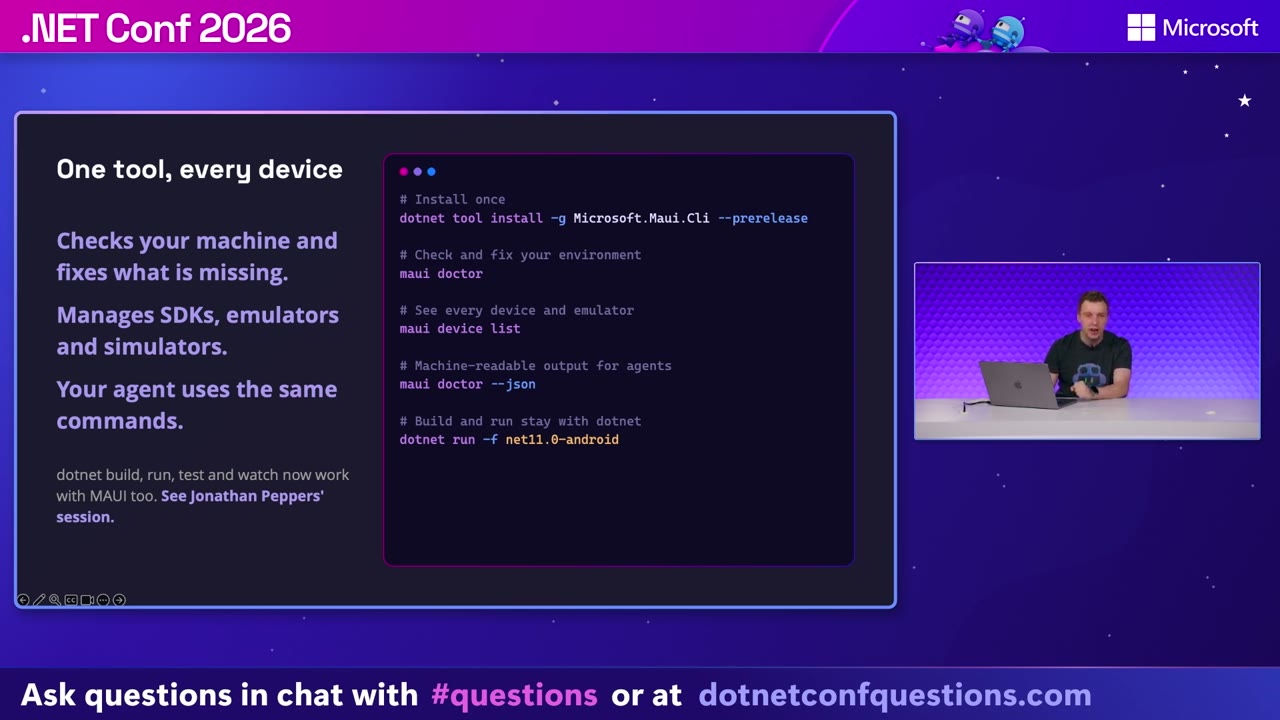
Gerald Versluis’s Beyond Code Generation: Give AI Eyes and Hands for .NET MAUI was about checking the running app:
maui doctordiagnoses your dev machine setup.maui ai initconfigures skills.- DevFlow exposes the app’s visual tree and interactions to an agent inside debug builds.
- The Inspector hands selected UI elements to the agent as context in VS Code and Copilot CLI.
These MAUI Labs tools are prerelease.
The session also showed Mobile Canvas, a community tool from Jonathan Dick (Redth). It embeds a simulator or emulator in the editor so you and the agent can drive the same device through its accessibility tree.
Azure
Matt Soucoup and Paul Yuknewicz presented Azure’s new lineup for .NET developers across two back-to-back sessions.
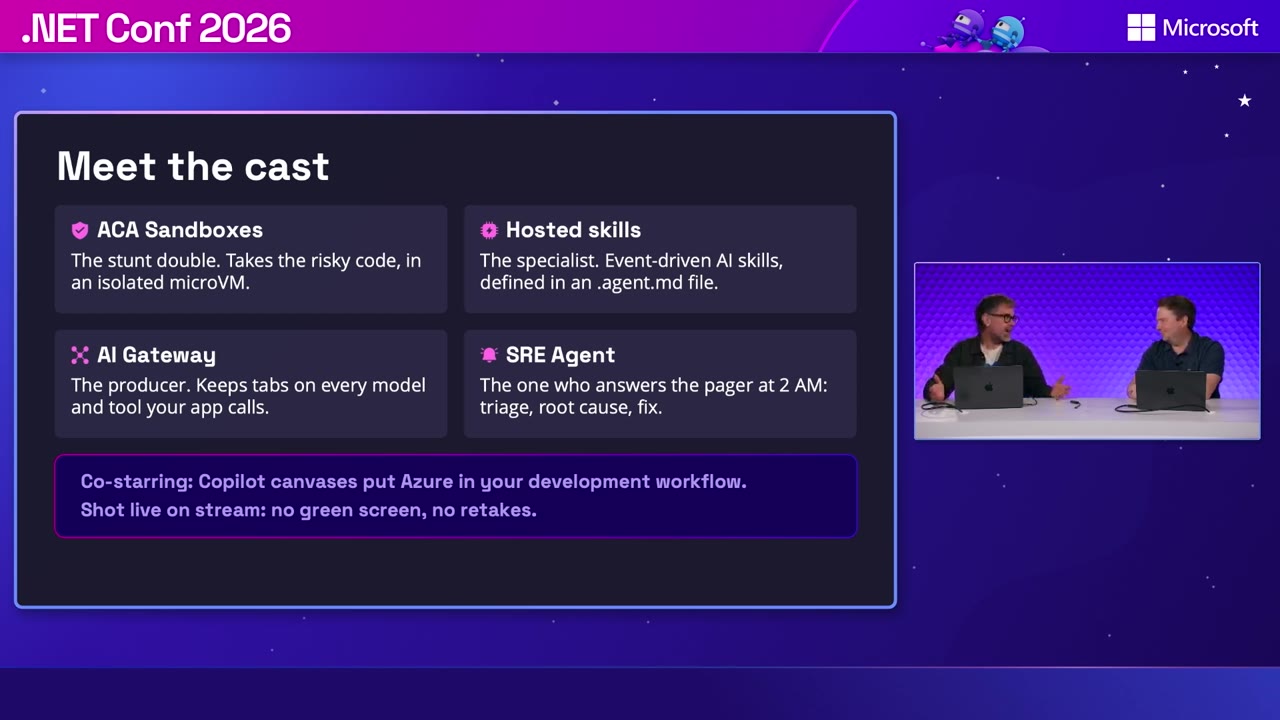
Part 1 showed Container Apps Sandboxes isolating tool execution in microVMs. In a loan-document example, default-deny egress blocked an exfiltration attempt, turning off managed identity made a token request return HTTP 401, and sensitive fields were redacted before reaching the model. A provisioning demo spun up 100 .NET 10 sandboxes in bursts of 10: 100 verified, zero failures, 17.8 seconds total. Hosted skills then wired a Markdown .agent.md definition to Azure Functions triggers and existing C# tools for package-damage analysis.
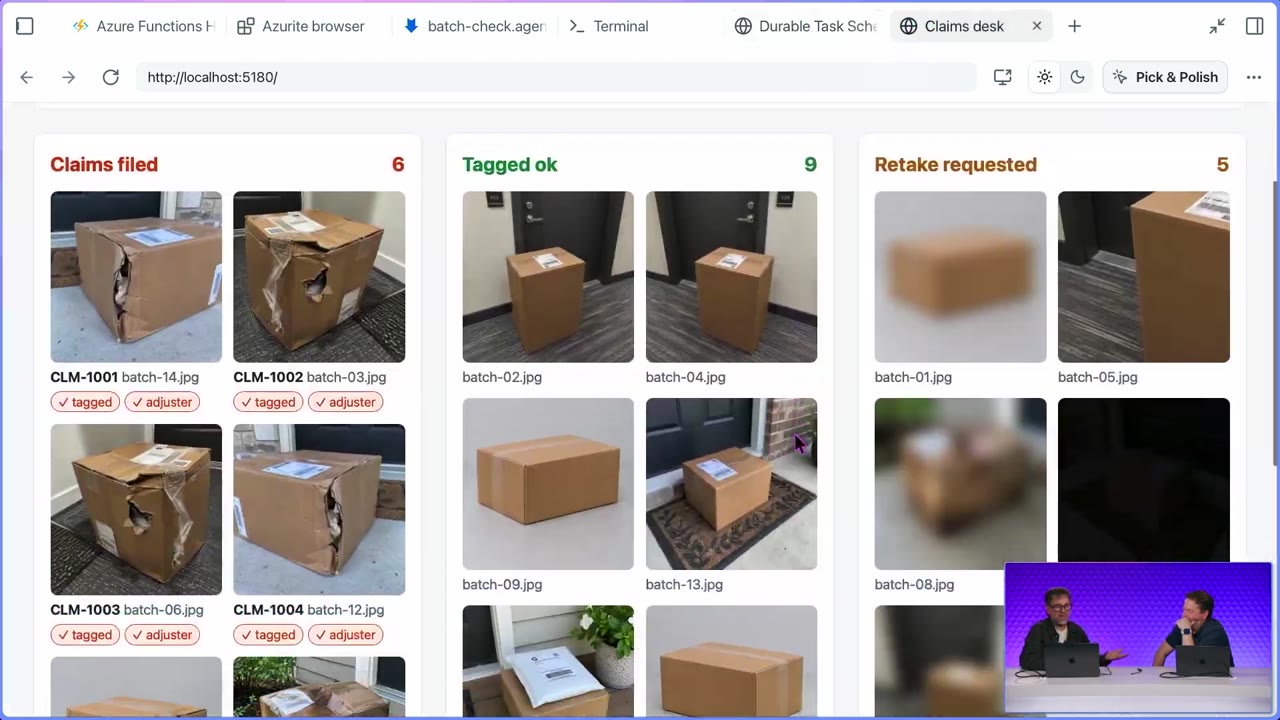
Part 2 added Durable Task Scheduler. The model built a plan from the skill, and the durable workflow processed 20 photos, up to 10 at a time. It filed six claims, tagged nine photos as fine, and requested five retakes.
The rest covered AI Gateway (model aliases, failover, per-caller budgets and policies) and Azure SRE Agent handling incidents. The agent completed 21 of the 23 incidents in the demo set.
File-based C# apps
Damian Edwards’s C# File-based apps turned up to 11! covered running C# files without a project. You can run dotnet hello.cs, pipe C# in through standard input, and use includes, app references, and custom SDKs. #:include pulls in source files. #:ref references another file-based app’s types without running its entry point. Sidecar files hold settings and run configuration.
The launch numbers used .NET SDK 11.0.100, pre-warmed build servers, and five runs per case:
| Case | Median elapsed time |
|---|---|
| Uncached build | 972.9 ms |
| Fresh output for a file without directives | 370.6 ms |
| Directive changed | 1,048.4 ms |
| Source changed | 353.6 ms |
| No changes | 106.7 ms |
Files without directives skip MSBuild entirely. A source-only change recompiles and reuses the rest of the build, and an unchanged file just runs the previous assembly. So when you see “107 ms” floating around, that’s the rounded no-change number. Your first run will be closer to a second.
Nearly every SDK command now works with file-based apps, including formatting and package inspection. The session also ran a C# file through a Unix shebang. (A later attempt to run it from a freshly configured PATH entry failed live.)
Foundry and EF Core 11
Bruno Capuano’s .NET + Foundry: Better Together laid out three ways to build:
- Call a Foundry model deployment through
IChatClient. - Run your own
AIAgentthat uses Foundry models and tools. - Call a prompt or hosted agent that Foundry manages.
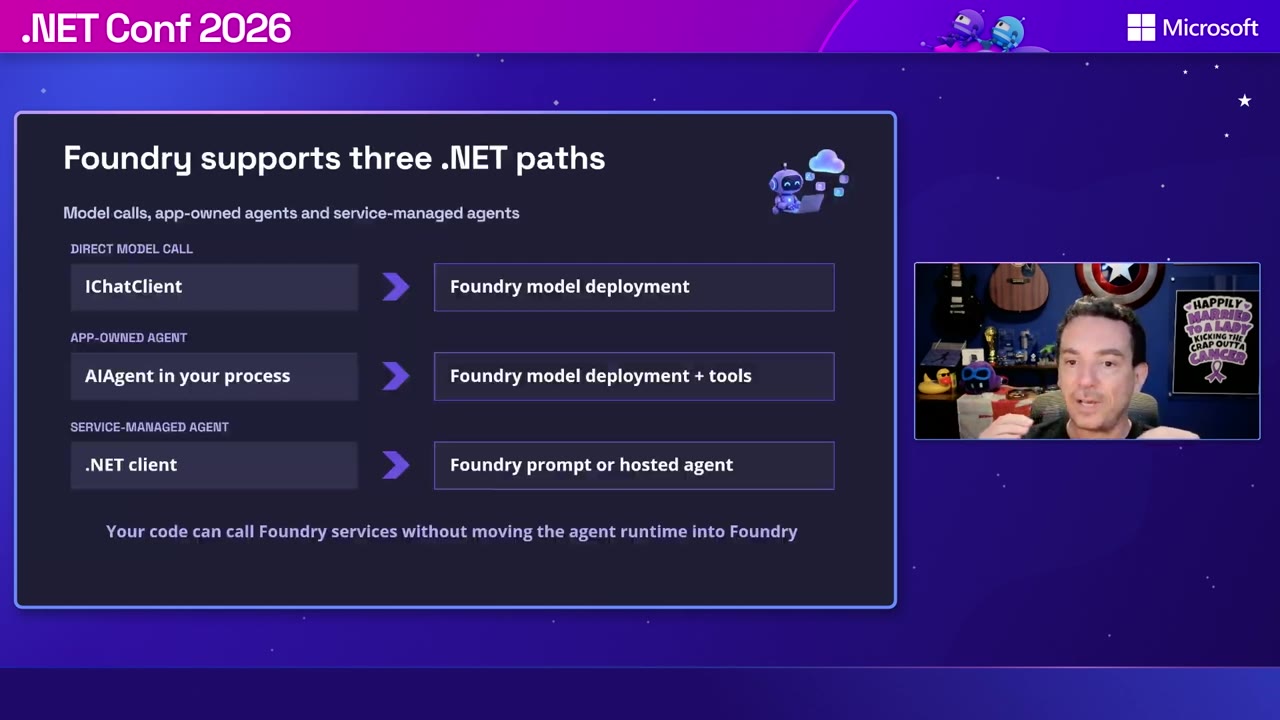
The demos reused the same Microsoft.Extensions.AI code across model deployments with managed identity, then moved a local .NET agent into Foundry hosting. The hosted version added tracing, evaluations, jailbreak controls, and network allow/deny rules. Blocked tool calls showed up in the traces.
Jiri Cincura’s EF Core 11: Vector Search, Smarter LINQ, and a Friendlier dotnet ef closed out the technical program. VectorSearch(...) expresses exact nearest-neighbor searches in LINQ, and .WithApproximate() switches to approximate search through a DiskANN index. You can combine vector search with Where filters.
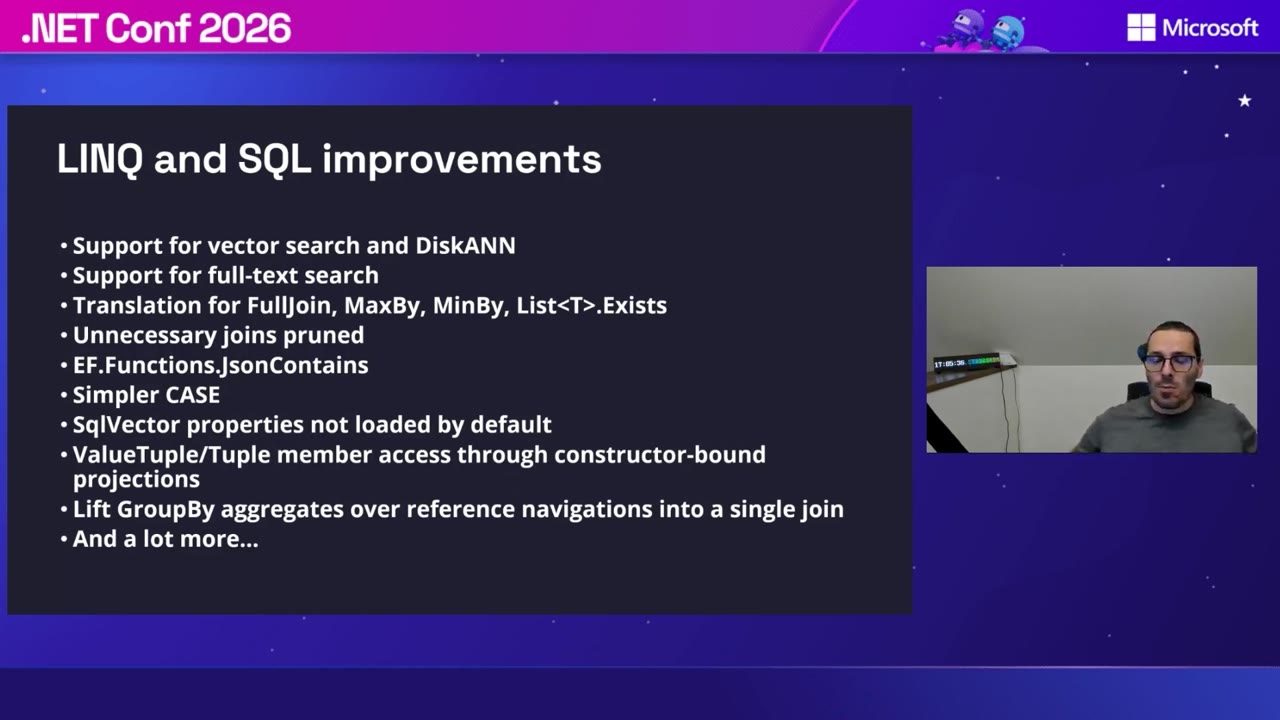
EF Core 11 also prunes unused joins, adds translations for FullJoin, MaxBy, and MinBy, and supports JSON collection containment. A .config/dotnet-ef.json file stores your project and startup-project defaults, so you can stop typing the same arguments over and over.
Watch out for a few provider changes when you upgrade:
- The SQL Server provider’s default compatibility level is now 160. The JSON containment translation in the demo needed 170.
- Cosmos DB added transactional batches and switched to System.Text.Json, which removes
__jObject. - The SQLite provider’s version 11 drops .NET Standard 2.0 and needs .NET 10 or later.
Session replays
Times are the scheduled ET times. Each session title links to the start of that session in the Day 2 replay.
| Time (ET) | Session | Speakers |
|---|---|---|
| 11:30 AM | The State of AI in Visual Studio | Rachel Kang, Barbara Boyajian |
| 1:00 PM | Visual Studio Diagnostics | Harshada Hole |
| 1:30 PM | Blazor Server resilience | Daniel Roth |
| 2:00 PM | MCP C# SDK | Stephen Halter |
| 3:00 PM | Agentic UI with Blazor | Daniel Roth |
| 3:30 PM | CsWinRT 3.0 | Manodasan Wignarajah, Sergio Pedri |
| 5:30 PM | Azure’s new lineup, part 1 | Matt Soucoup, Paul Yuknewicz |
| 6:00 PM | Azure’s new lineup, part 2 | Matt Soucoup, Paul Yuknewicz |
| 6:30 PM | File-based apps | Damian Edwards |
| 7:30 PM | EF Core 11 | Jiri Cincura |
What are you trying first?
That’s Day 2. If you missed the launch day, catch up with my .NET Conf 2026 Day 1 recap for .NET 11, C# 15 unions, and the build speedups.
Which of these are you going to try first? I’d love to hear what you think. Hit me up on X, Bluesky, or LinkedIn.

About Kevin
Kevin Griffin has been running production .NET applications and teaching developers for over two decades. A 17-time Microsoft MVP specializing in ASP.NET Core and Azure, Kevin brings real-world experience from his own SaaS products alongside his consulting work at Swift Kick. He's hosted the Hampton Roads .NET User Group since 2009 and founded RevolutionVA, the nonprofit behind Hampton Roads DevFest. Kevin's talks blend hard-won lessons from production systems with practical advice you can use Monday morning.